
पिछले कुछ समय से AI से website बनाने का हाइप बहुत बढ़ गया है। हर दूसरा creator बोल रहा है कि 5 minutes में professional website बनाओ। यह सुनकर मेरे मन में हमेशा एक सवाल आता था कि website तो बन जाती है, लेकिन AI से बनी website काम की होती भी है या बस screenshot लेकर LinkedIn पर डालने के लिए है।
इसी सवाल का जवाब ढूंढने के लिए मैंने एक experiment किया। मैंने Google Antigravity और Claude AI दोनों को same task दिया। मैने दोनों को एक luxury fine dining restaurant “Aurum” की complete website बनाने को कहा। दोनों का output मेरे पास था और मैंने उन्हें code level पर खोलकर भी देखा।
यह article उसी experiment की honest report है। इसमें मैं आपको सब कुछ बताऊंगा जो चीज़ अच्छी लगी वो बताऊँगा, और जो बेकार लगी वो भी बताऊंगा। इस article के अंत तक आपको पता चल जाएगा कि आपकी situation के लिए कौनसा tool सही रहेगा।
Highlight
Google Antigravity लो अगर तुम्हें जल्दी एक presentable website चाहिए और coding से कोई लेना-देना नहीं रखना।
Claude AI लो अगर तुम freelancer हो, client को code deliver करना है, या website को आगे grow करना है।
Overall Winner: Claude AI — design quality, code architecture और JS features तीनों में साफ़ आगे रहा।
Google Antigravity vs Claude AI: दोनों टूल्स एक नज़र में
Google Antigravity:
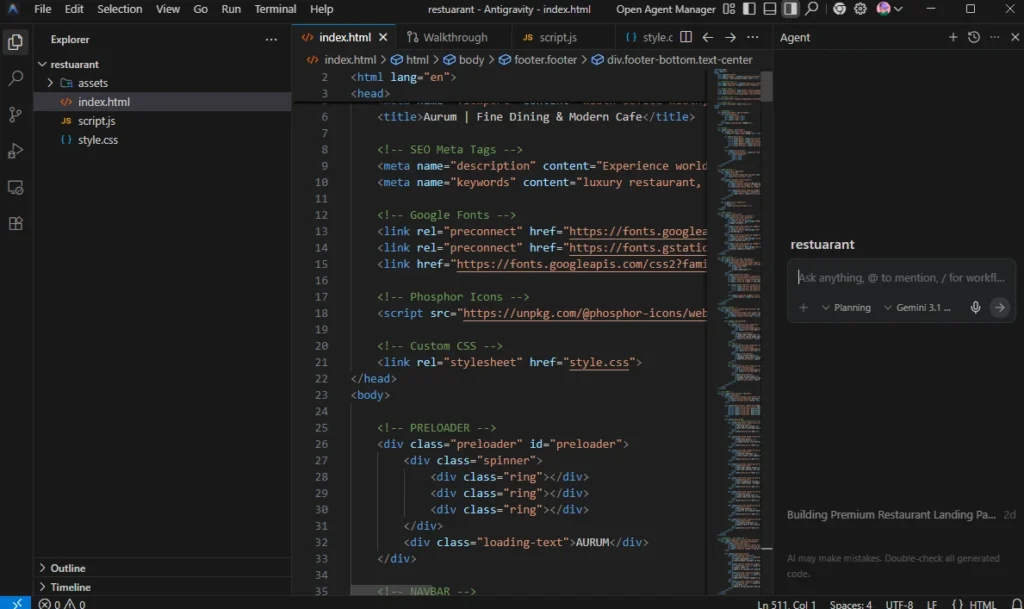
Google Antigravity November 2025 में Google ने launch किया था। यह एक AI-powered standalone IDE है। इसे हम VS Code का heavily modified fork भी कह सकते है जो बिल्कुल Cursor और Windsurf की तरह है। जिसे अलग से download करके install करना होता है। यह Gemini 3 Pro model पर primarily चलता है और इसे “agent-first” approach के साथ design किया गया है। मतलब यहाँ AI सिर्फ suggestions नहीं देता, बल्कि खुद plan करता है, code भी लिखता है, terminal भी खुद चलाता है और built-in browser में output test भी खुद ही करता है।
Claude AI:
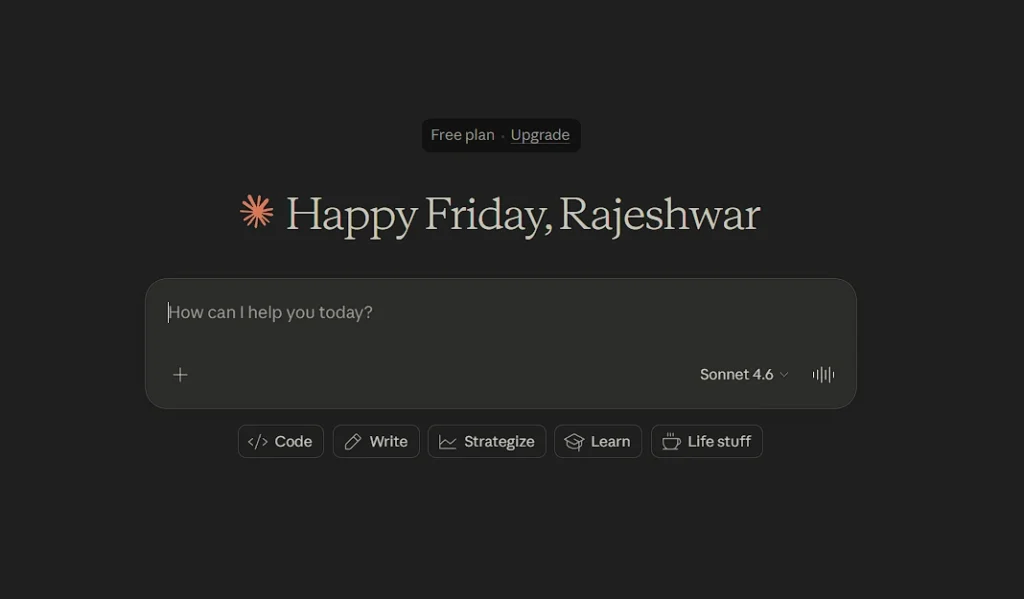
Claude AI Anthropic का conversational AI assistant है। यह कोई dedicated website builder नहीं है बल्कि एक general-purpose AI है जिसे तुम coding partner की तरह use कर सकते हो। आप इसके साथ Browser में chat कर सकते हो। आपको इसमें बस website का description देना होता है और Claude AI पूरा code लिख देता है।
दोनों का fundamental approach अलग है। Antigravity एक पूरा IDE है जो developers के लिए बना है जबकि Claude एक conversation की तरह काम करता है।
7 Google AI Tools for Developers (2026): मेरा Real Workflow और Best Tools
मैंने क्या test किया और कैसे
मैने Task एकदम simple रखा। मैने दोनों को same Prompt दिया कि “Aurum” नाम के एक luxury fine dining restaurant की complete website बनाओ। Requirements भी same थीं जैसे hero section, navigation, menu filter tabs, gallery with lightbox, testimonials carousel, reservation form और footer with newsletter।
niche Ye raha pura prompt.
मेरा BCA किया है और इसलिए मुझे web development का थोड़ा experience है इसलिए मैं code quality और maintainability ठीक से judge कर सका।
दोनों काम कैसे करते हैं
मेरे हिसाब से यह section जरूरी है इसलिए इसे सबसे पहले पढ़ो क्योंकि इसके बिना comparison का मज़ा नहीं आएगा।
Google Antigravity की working:
Antigravity कोई VS Code extension नहीं है बल्कि यह खुद एक पूरा IDE है जो antigravity.google से download होता है। इसको Install करने के बाद इसमें आपको दो main views show होते हैं।
पहला Editor View जो normal IDE जैसा होता है, बिल्कुल VS Code की तरह। दूसरा Agent Manager जिसमें आप अपना पprompt डाल के उसको task दे सकते हो। और यही इसकी असली USP है। यह एक “Mission Control” जैसा interface है जहाँ तुम multiple agents को parallel में अलग-अलग tasks पर dispatch कर सकते हो।
मैंने एक empty project folder खोला और Agent Manager में prompt दिया.
Antigravity ने सबसे पहले एक plan बनाया कि project में कौन-कौन सी files बनेंगी और structure क्या होगा। उसके बाद उसने मेरे से approval मांगा। उसके बाद उसने automatically तीन files बनाईं: index.html, style.css और script.js और एक assets/images folder भी बनाया। मतलब उसने खुद ही proper file separation की, मुझे खुद से कुछ नहीं करना पड़ा।
मुझे Antigravity की सबसे interesting बात यह लगती है कि वो code भी खुद लिखता है, उसे browser में run करके check भी खुद करता है और output को visually verify भी करता है। और अगर कोई bug आ जाए तो उसे fix भी खुद ही कर देता है। यानी वो सिर्फ code generate नहीं करता बल्कि live check भी करता है।
Claude AI की working:
Claude AI का process बिल्कुल अलग है। मैंने claude.ai खोला और chat box में same prompt दिया जो Google Antigravity में दिया था।
Claude AI ने पूरी site बना दी और सब कुछ एक single HTML file में deliver किया जिसमें CSS <style> tags में थी और JavaScript <script> tags में। मतलब एक ही file में पूरा code था। मैंने उस code को copy किया, एक नई .html file बनाई, और उसमें paste किया और फिर browser में खोला। Website पूरी तैयार थी।
Claude के साथ conversation-style में काम होता है। अगर कुछ पसंद नहीं आया तो फिर से बोलो और Claude उसको तभी update कर देता है।
दोनों में मुख्य फ़र्क़ working में:
Antigravity एक complete agentic IDE है। वो plan करता है, code लिखता है, terminal run करता है और browser में test भी करता है। सब कुछ automatically होता है। Claude ai conversation-based है। वो code लिखकर दे देता है, बाकी तुम्हें खुद manage करना होता है।
पहली बार इस्तेमाल का अनुभव
Google Antigravity:
मुझे Antigravity पहली बार में थोड़ा unfamiliar लगा था क्योंकि इसे अलग से download करके install करना पड़ता है, फिर Google account से login करना पड़ता है और Agent Manager का setup समझना पड़ता है।
लेकिन जब मैने इसे एक बार setup कर दिया तो उसके बाद मेरा experience बिल्कुल smooth था।
Claude AI:
Claude AI की बात करें तो ये use करने में बहुत आसान है। आप Browser खोलो, Claude AI website open करो, उसको prompt दो और AI पूरी site बनकर दे देगा। अगर आपको Coding नहीं आती तो भी काम चलता है। लेकिन Claude एक ही file में सब देता है इसलिए अगर आपका project बड़ा हो और files अलग-अलग रखनी हों तो वो आपको manually manage करना पड़ता है।
मेरे हिसाब से Claude AI आगे है, वो भी सिर्फ इसलिए कि उसके लिए कुछ भी install नहीं करना पड़ता। लेकिन जो developer proper IDE workflow चाहते हैं उनके लिए Antigravity का experience ज़्यादा natural है।
Google Antigravity Vs Claude AI: Design Quality का असली फ़र्क़
Google Antigravity:
Antigravity Website


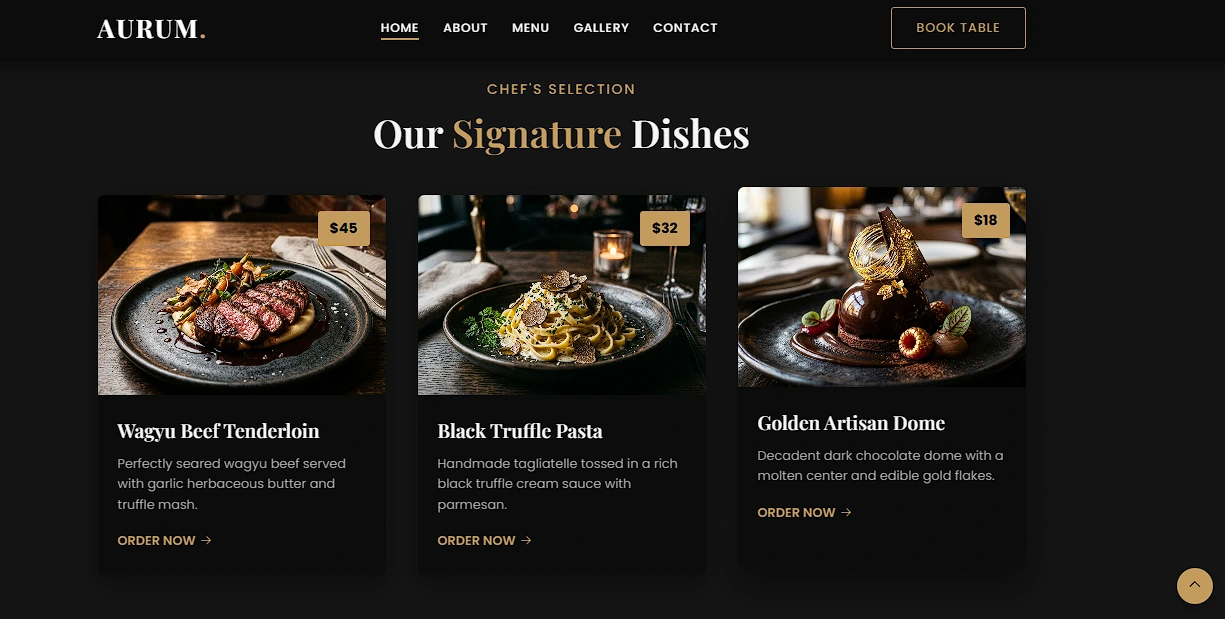
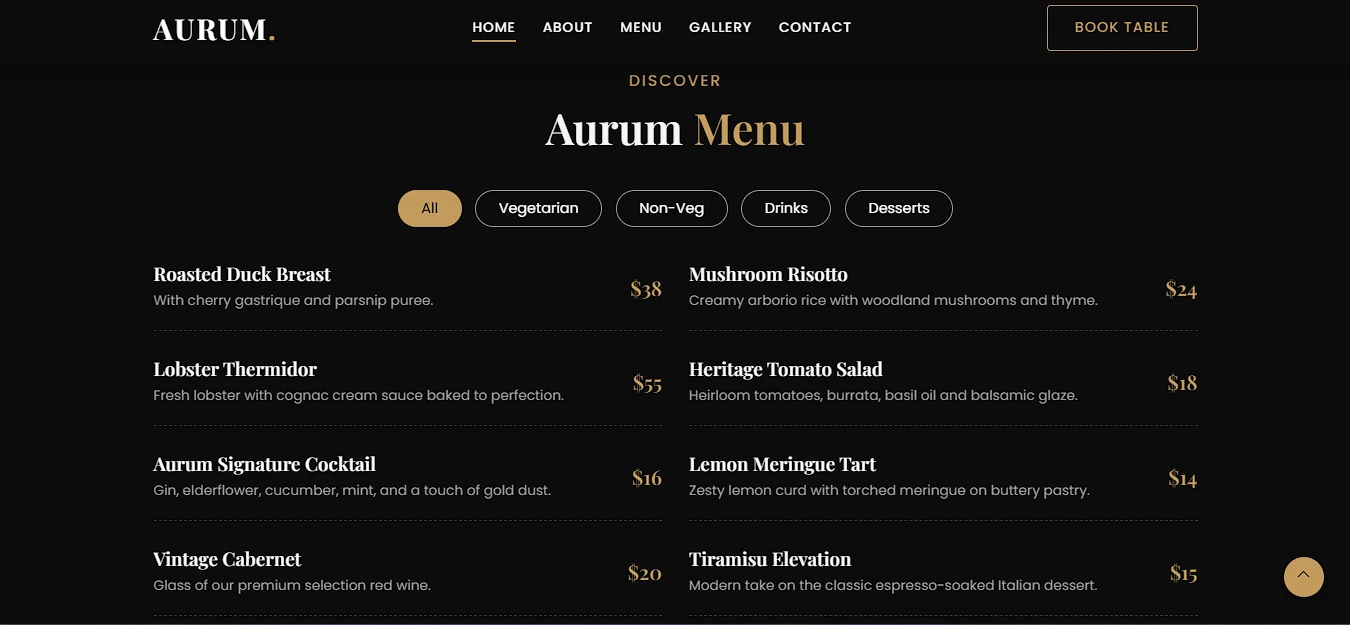

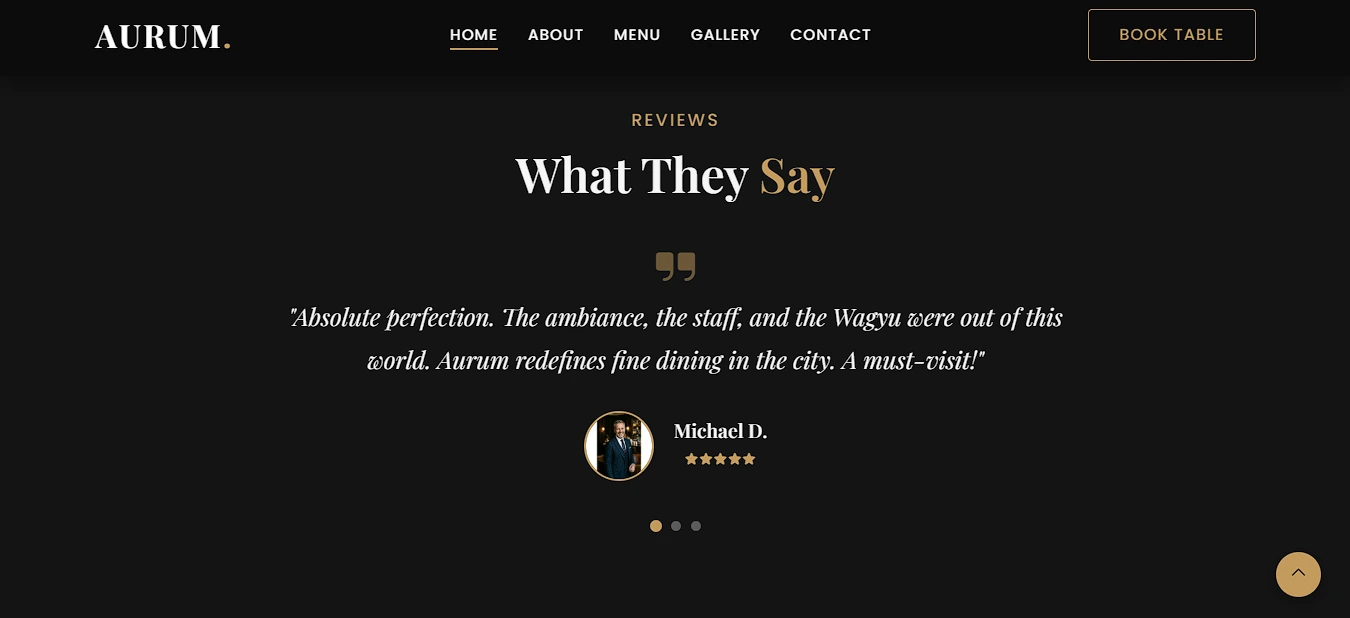
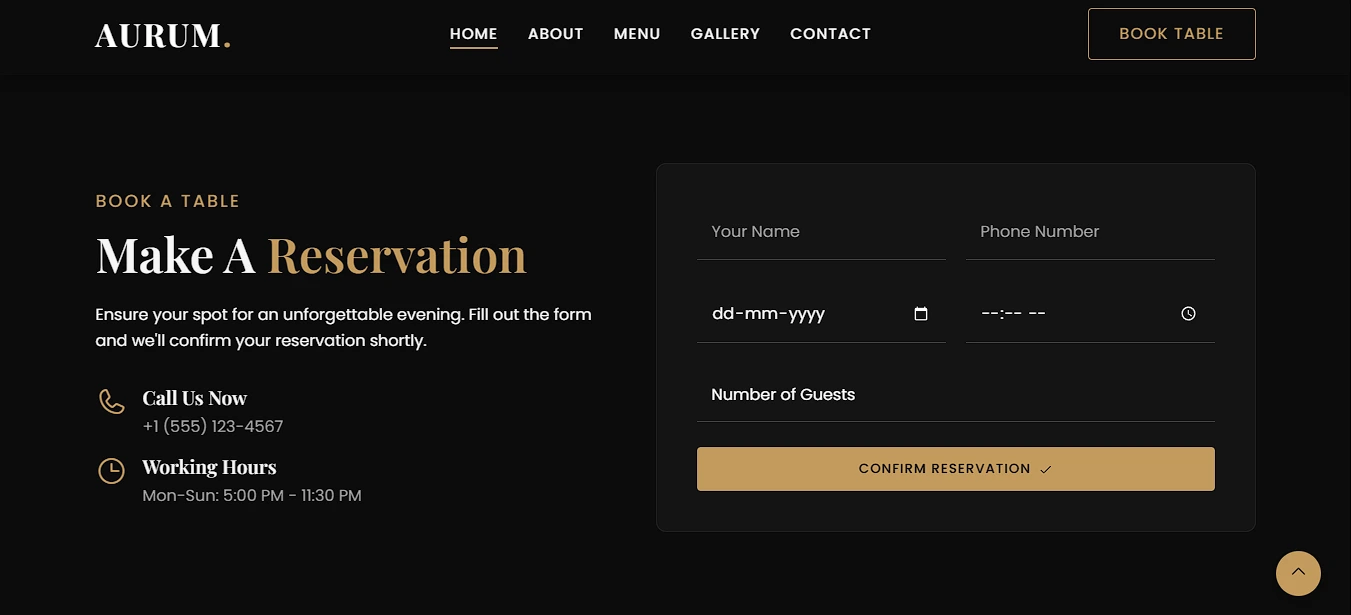
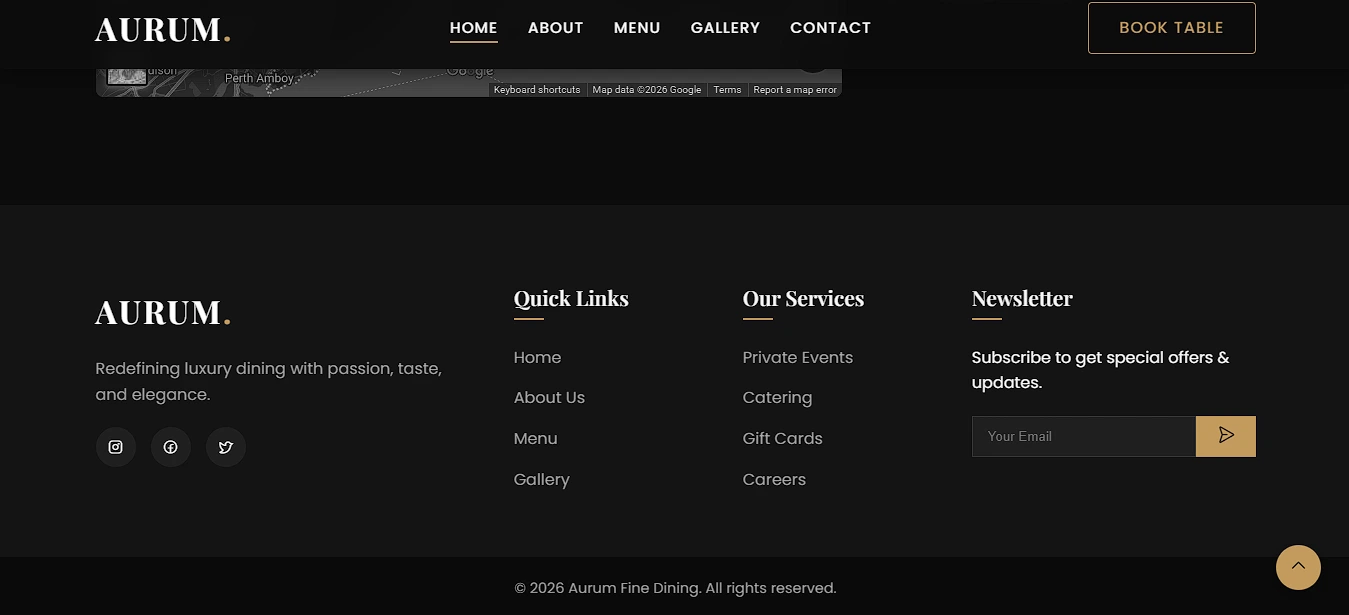





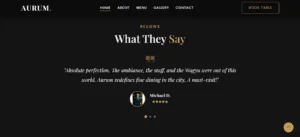

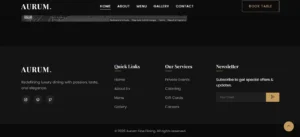
Antigravity से बनी website clean और professionally presentable थी। Website में Dark background पर gold accents थे, hero section में full-screen image थी, trust strip में numbers दिखते थे जैसे 5000 Happy Customers वगैरह। Menu cards थे, about section था, reservation form था। Spinner-based preloader था। Overall यह website एक solid restaurant template की तरह दिखती थी।
Gallery में lightbox काम नहीं करता था। मतलब जो images हैं उसपे click करने से image open नहीं होती थी।
Overall Website देखने में ठीक ठाक थी, इसको देखते वक़्त कोई ऐसी चीज़ नहीं थी जो मुझे रुकने पर मजबूर करे।
Claude AI:
Claude Website
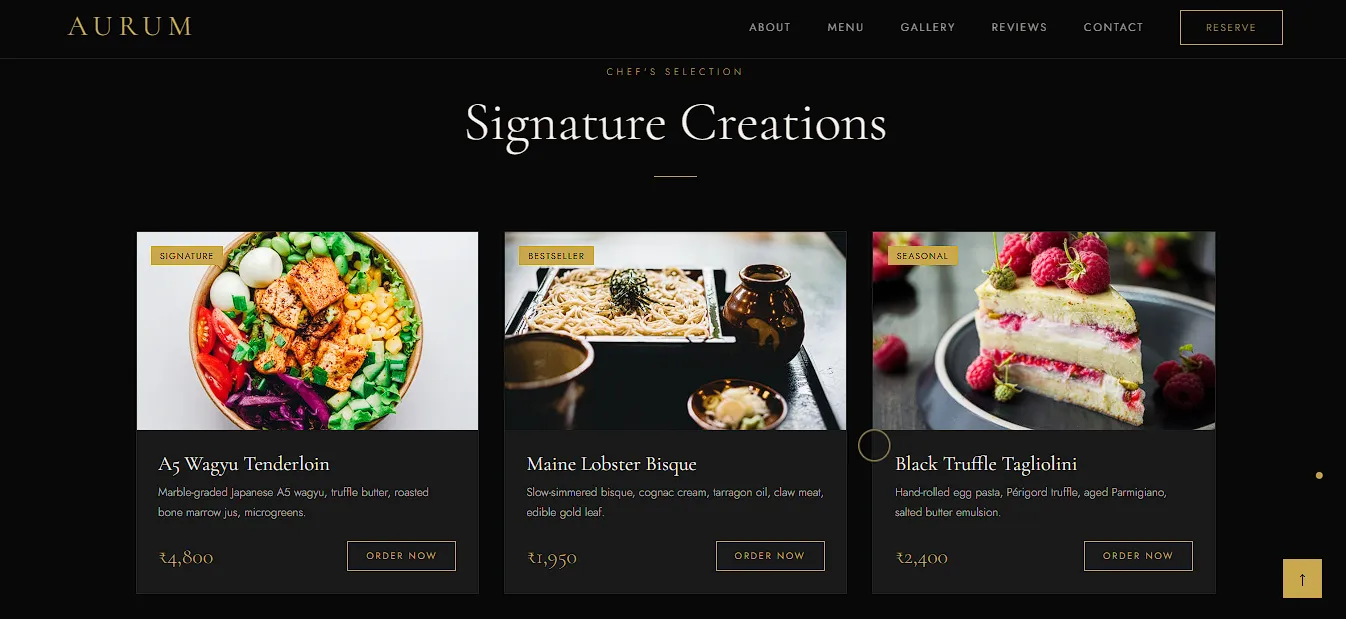
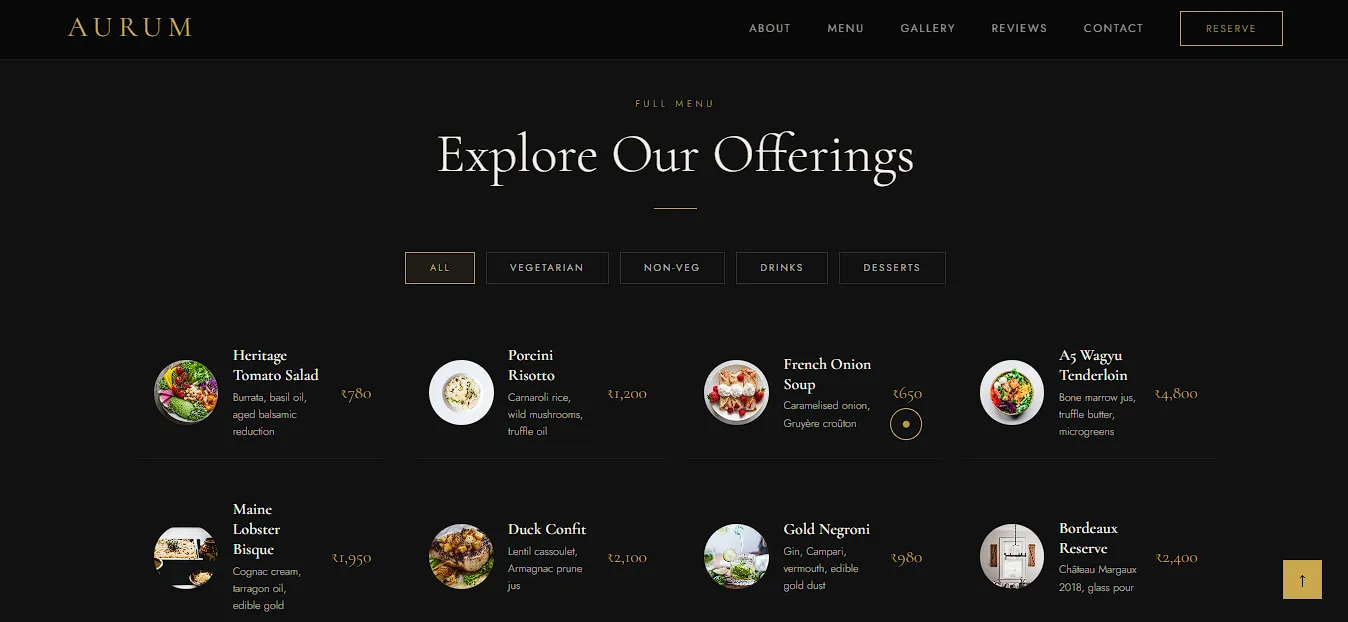
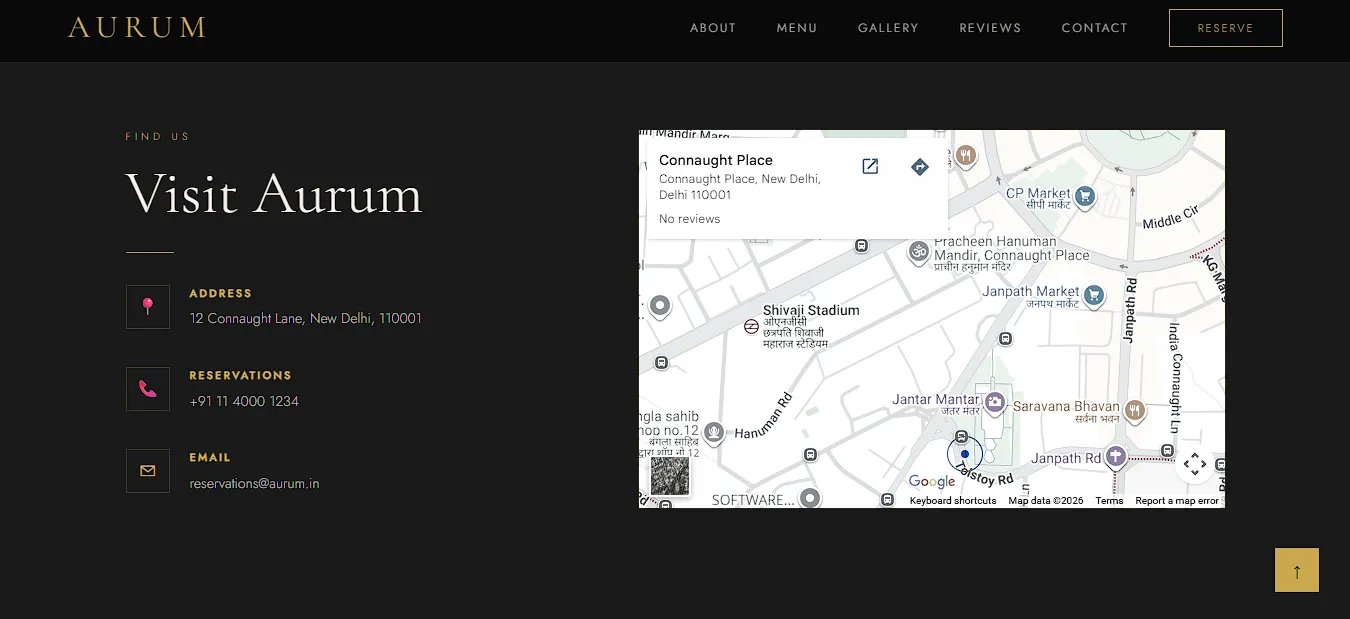


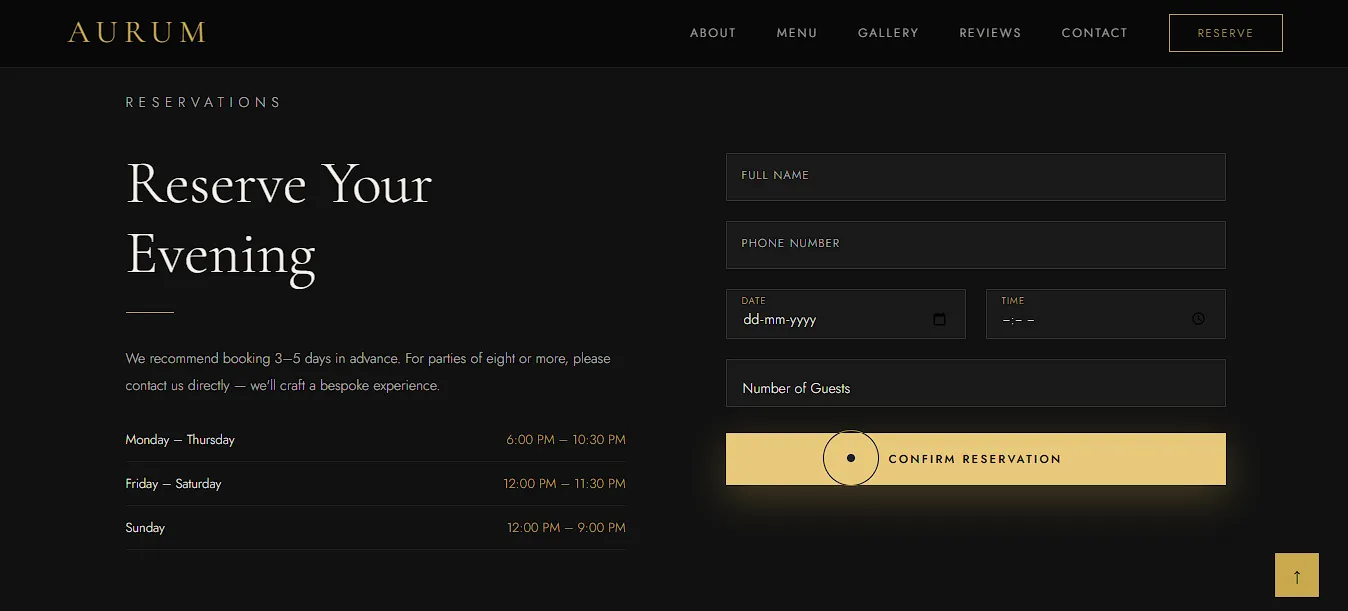
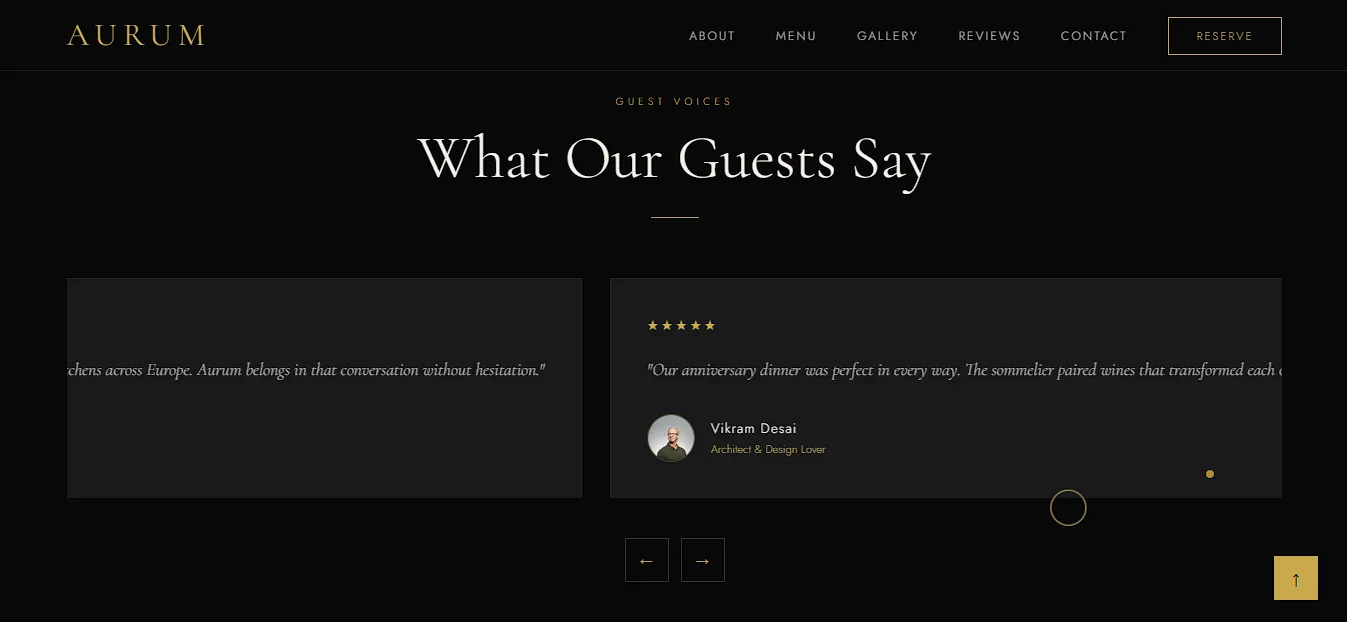
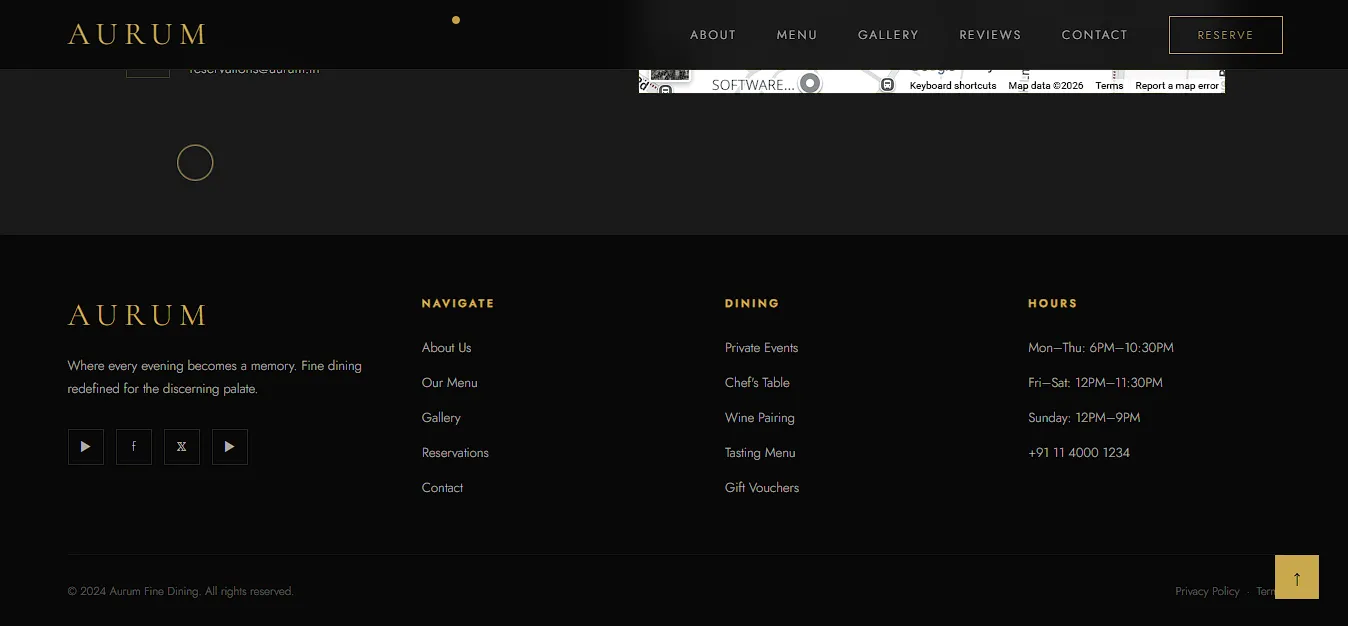


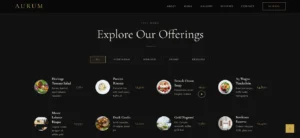
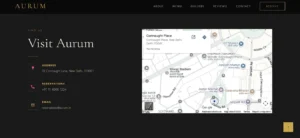


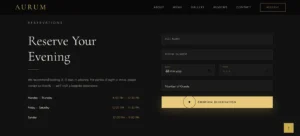
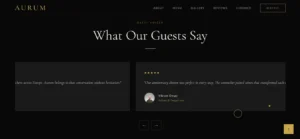
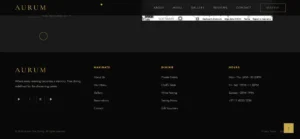

Claude AI से बनी website ने मुझे genuinely surprise किया। पहली चीज़ जो मुझे notice हुई वो इसका custom cursor था। Mouse के साथ एक gold dot चलता था और जब किसी button पर hover करते थे तो उसके चारों तरफ एक ring expand होती थी। यह छोटी सी detail पूरी website को premium feel देती थी।
Navbar scroll करने पर frosted glass effect देता था। Gallery वाले section में lightbox था जो actually ठीक से काम करता था, मतलब जब आप image पर click करो तो full screen opens होती थी। Testimonials खुद-बखुद 5 seconds में slide करते थे।
सबसे अच्छी बात जो मुझे Claude AI से बनी website कि लगी वह यह थी कि website के bottom में एक sticky CTA Button था जिससे user table book कर सकता है।
ये चीज़ Antigravity से बनी website में नहीं थी।
एक चीज़ जो मुझे website में अच्छी नहीं लगी वो था इसका hero section। Hero section में text ठीक से पड़ा नहीं जा सकता था क्योंकि image में कोई black shadow नहीं था जिसकी वजह से text सही से vissible नहीं था।
सबसे बड़ा अंतर यह था कि Claude की website intentional लगती थी जैसे किसी ने सोचकर बनाई हो। Antigravity की website generated लगती थी।
Google Stitch AI से Design कैसे बनाएं | Figma भूल जाओ, 1 Prompt में App UI Ready!
Google Antigravity Vs Claude AI: JavaScript Features
Google Antigravity:
Antigravity से बनी website में functional JS था। Scroll animations simple था और काम करते था, hamburger menu ठीक खुलता था, counter animation भी ठीक ही था। सब basic features ठीक से implement थे।
Claude AI:
लेकिन Claude की बनी website में हर feature एक level ऊपर था। Testimonials carousel में cardWidth() function dynamically width calculate करता था इसलिए वो अलग-अलग screen sizes पर भी सही से काम करता था। Menu filter में CSS transition complete होने के बाद ही element hide होता था। Gallery lightbox में ESC key press करने पर भी close होता था।
सबसे अलग था custom cursor का animation जो सिर्फ claude से बनी website में ही था। Website में normal cursor show नहीं होता था बल्कि एक dot बना हुआ था जो एक ring shape के अंदर था।
यह cursor ring mouse के थोड़ा पीछे चलाता था जो premium websites पर दिखता है। लेकिन Antigravity ने यह level का JavaScript website में नहीं दिया था।
Google Antigravity Vs Claude AI: Mobile Experience
Antigravity ने website में basic mobile responsiveness दी थी। उसमें Hamburger menu था, layout भी सही था, कही भी layout break नहीं हुआ था। Inshort Antigravity से बनी website mobile responsive थी।
Claude की बनी website का mobile experience मुझे थोड़ा ज़्यादा thoughtful लगा। Mobile पर एक sticky CTA button था जो हमेशा screen के bottom पर रहता था और उस पर लिखा था “Reserve a Table।” Restaurant website के लिए यह एक genuinely smart detail थी क्योंकि mobile user को table book करने के लिए पूरा page scroll नहीं करना पड़ता था।
Google Antigravity Vs Claude AI: Free Plan की सच्चाई
Google Antigravity free में available है। इसके Free tier में Gemini 3 Pro के साथ generous rate limits मिलती हैं। लेकिन complex projects में बार-बार agents dispatch करने पर quota जल्दी खत्म होता है।
Claude AI का free tier code generate करता है लेकिन लंबी complex websites बनाते वक़्त context window की limit hit होती है। अगर आपको इसे seriously use करना ha तो उसके लिए आपको इसका Claude Pro लेना होगा जो लगभग $20/month यानी करीब ₹1,700/month है।
दोनों का free tier basic testing के लिए काफ़ी है। Professional use के लिए आपको दोनों में कुछ investment करनी होगी।
Google Antigravity में आप normal website बिना rate limit hit kiye easily बना सकते हो अगर आपका project ज़्यादा बड़ा नहीं है तो।
Pricing बदलती रहती है इसलिए latest pricing के लिए official websites check करना।
Google Antigravity vs Claude AI Comparison Table
| Feature | Google Antigravity | Claude AI |
|---|---|---|
| Tool Type | Standalone IDE (VS Code fork) | Browser-based AI chat |
| Setup | Download + install करना होता है | Browser में सीधे काम |
| File Structure | index.html + style.css + script.js | Single HTML file |
| CSS Variables | नहीं थे | हाँ, properly defined |
| Design Quality | Solid template जैसा | Premium, intentional |
| JS Depth | Basic functional | Advanced, polished |
| Mobile UX | Basic responsive | Sticky CTA, premium menu |
| Custom Cursor | नहीं | हाँ |
| Agent Features | Multi-agent, browser testing, terminal | नहीं |
| Code Maintainability | Medium | High |
| Beginner Entry | Install + setup barrier है | बिल्कुल आसान |
| Overall | Runner-up | 🏆 Winner |
मेरी राय
मेरे हिसाब से Claude AI साफ़ winner रहा क्योंकि मैने दोनों को same prompt दिया था और claude AI ने ज्यादा अच्छी website बनाई।
लेकिन मैं नहीं कहूंगा कि यही tool better हैं और आप इसे ही use करो। हो सकता है आपका project के लिए Antigravity अच्छा काम करे या claude ही सही काम करे। यह आपके project पर depend करेगा।
एक चीज़ मैं honestly बताऊँगा कि Antigravity का agent-first workflow genuinely impressive है। Multi-agent architecture, Manager View जहाँ agents parallel में काम करते हैं, built-in browser testing, यह सब experience आपको किसी और IDE में देखने को नहीं मिलता। लेकिन website output की quality में Claude आगे था।
दोनों Tools की असली कमियाँ जो मुझे पसंद नहीं आईं
Google Antigravity
इसकी सबसे बड़ी problem यह थी कि agent बिना पूछे decisions लेता है। मैंने उसे सिर्फ एक section का color बदलने को कहा था और उसने पूरी CSS restructure कर दिया। जब तुम एक specific चीज़ चाहते हो और tool कुछ और कर देता है तो उसे वापस ठीक करने में उतना ही वक़्त लगता है जितना खुद करने में लगता।
और दूसरी बात यह कि Antigravity का जो planning context होता है वो तुम्हारे project folder में save नहीं होता बल्कि उसके अपने system में save होता है। मतलब अगर कल आपको किसी दूसरे tool पर जाना पड़े तो वो सारा context साथ नहीं आएगा। यह चीज़ मुझे बिल्कुल अच्छी नहीं लगी।
Claude AI
इस tool के Free tier में context window की limit बहुत जल्दी आती है। मैं २ – ४ Prompts ही देता था और इसकी limit आ जाती थी। मतलब अगर आप किसी बड़े project पर काम कर रहे हो तो आपको इसकी subscription लेनी पड़ेगी।
और दूसरी बात ये कि Claude कभी-कभी तब भी code बदलने लग जाता है जब आप सिर्फ सलाह माँग रहे होते हो। मैंने Calude को बस इतना पूछा कि “यह section कैसा लगेगा अगर animation add करें?” इतना पूछने पर Claude directly code लिखने बैठ गया था। ये चीज़ भी मुझे personally खराब लगी।
कब कौनसा चुनो
Google Antigravity लो अगर:
- आप Developer हो और एक full IDE experience चाहते हो जो agentic हो।
- Multi-agent workflow try करना है जहाँ parallel tasks run हों।
- Built-in browser testing चाहिए और autometic bug fixing ho।
- Large codebase पर AI agents से background में काम करवाना है
Claude AI लो अगर:
- Freelancer हो और client को एक clean file deliver करनी है।
- Advanced design details चाहिए जैसे custom cursor, smooth animations, lightbox।
- Quick experiment करना है बिना कुछ install किए।
Frequently Asked Questions
Google Antigravity और Claude AI में से free में कौनसा ज़्यादा काम का है?
दोनों free में basic काम करते हैं लेकिन दोनों की limits हैं। Antigravity antigravity.google से free download होता है और 3 Pro के साथ generous rate limits देता है। Claude का free tier browser में directly काम करता है लेकिन complex projects में context limit जल्दी आती है। अगर बड़ा project है तो Claude Pro worth it है।
Claude AI से website बनाने के लिए coding knowledge चाहिए?
नहीं। Hindi या English में describe करो कि कैसी website चाहिए और Claude पूरा code लिख देता है। Code को copy करो, browser में open करो और website ready है। Code को further edit करना हो तो HTML/CSS की basics थोड़ी help करती हैं।
Google Antigravity India में ठीक से काम करता है?
हाँ काम करता है। यह Windows, macOS और Linux तीनों पर available है। Hindi documentation अभी बहुत कम है। Claude की community बड़ी है और YouTube पर ढेर सारे tutorials मिलते हैं।
क्या Antigravity और Claude को मिलाकर use किया जा सकता है?
बिल्कुल। Antigravity से proper file structure वाला project बनाओ और फिर Claude से specific improvements माँगो जैसे “इस section में lightbox add करो” या “CSS में variables add करो।” यह hybrid approach actually बहुत productive है। और एक interesting बात ये कि Antigravity खुद भी Claude Sonnet को एक supported model की तरह offer करता है।
Conclusion
सच बताऊँ तो जब मैंने यह experiment शुरू किया था तो मैंने ये expect नहीं था कि दोनों में इतना फ़र्क़ होगा।
में Antigravity को देखकर genuinely impressed हुआ। क्योंकि ये एक पूरा IDE जो खुद plan करता है, खुद code लिखता है, खुद terminal भी चलाता है और browser में जाकर output खुद verify भी करता है। यह concept मुझे बहुत powerful लगा।
लेकिन जब मैने Claude की website का code खोला तो वो अलग level का था। उसमें CSS variables, custom cursor animation, properly working lightbox, यह सब देखकर मुझे लगा कि Claude ने सिर्फ code नहीं लिखा, बल्कि इसे सोचकर लिखा था। मैं अगर एक freelancer के नज़रिए से देखूँ तो यही code मैं client को confidently deliver कर सकता हूँ।
मेरी honest राय यह है कि अगर तुम developer हो और AI agents का future explore करना चाहते हो तो Antigravity ज़रूर try करो। लेकिन अगर अभी तुम्हारा goal है कि एक clean, maintainable website बनाना और client को देना तो Claude AI की तरफ जा सकते हो।
दोनों tools free में try होते हैं। कुछ install करने से डरो मत, बस एक बार खुद test करो। अपना experience ज़रूर नीचे comment में बताओ।
Disclaimer: इस article में Google Antigravity और Claude AI दोनों का जो comparison किया गया है वो मेरे personal experiment और observation पर based है। मैं किसी भी tool का official representative नहीं हूँ और न ही इस article के लिए किसी company ने मुझे pay किया है।
दोनों tools actively develop हो रहे हैं इसलिए features, pricing और performance समय के साथ बदल सकते हैं। Article में जो भी screenshots या observations हैं वो उस वक़्त के हैं जब मैंने test किया था। Latest जानकारी के लिए हमेशा official websites देखो। Affiliate links की बात करूँ तो इस article में कोई भी affiliate link नहीं है।
2 thoughts on “Google Antigravity vs Claude AI: मैंने दोनों से एक Restaurant Website बनवाई, Result Shocking था”